

Who decides
- The editor of the domain a proposal belongs to decides. In the Review queue they see the proposals of their domains and their own proposals, and have the buttons Approve and Reject.
- A company admin is not automatically an editor. Only someone with the Editor role in that domain sees and decides its proposals (from the code: the review looks only at the editor role).
- A proposer who is not an editor sees only their own proposals and can only withdraw them (Withdraw), not approve them (from the code).
- A member without the editor role and without their own proposals sees an empty queue. Another person’s proposal opens Proposal not found.
Set up the review
1
Choose the editors
For each domain choose a person who knows the content and give them the Editor role. The steps are on the page People and invitations, and roles and domains are explained on the page Companies, domains, roles.
2
Look at the queue as an editor
Click Review queue in the left menu, which all company members see. The number next to the item shows how many proposals wait for your decision. The columns are Title, Domain, Proposer, Created, Expires in and Status.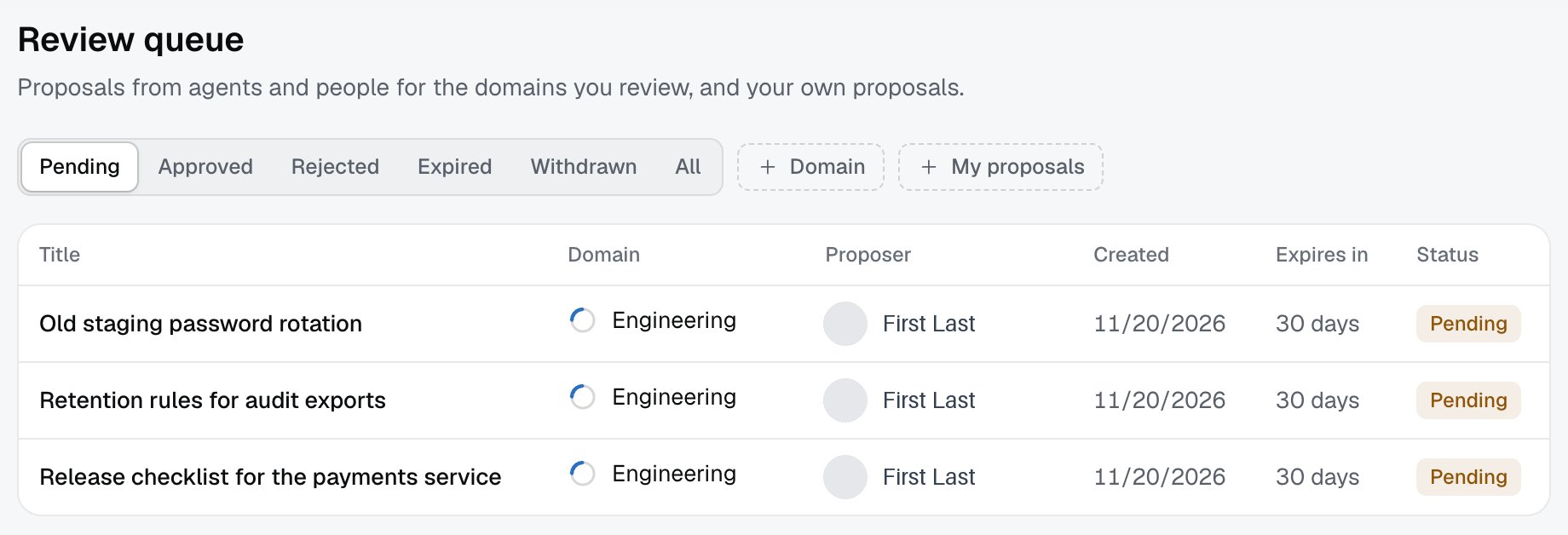
3
Approve or reject
Open a proposal. You see Domain, Proposer, Agent and client, Created, then the proposal text, Sources and Conversation. Approve opens a dialog with the fields Title and Text (Markdown) that the editor may change. Reject asks for a reason, which the proposer sees.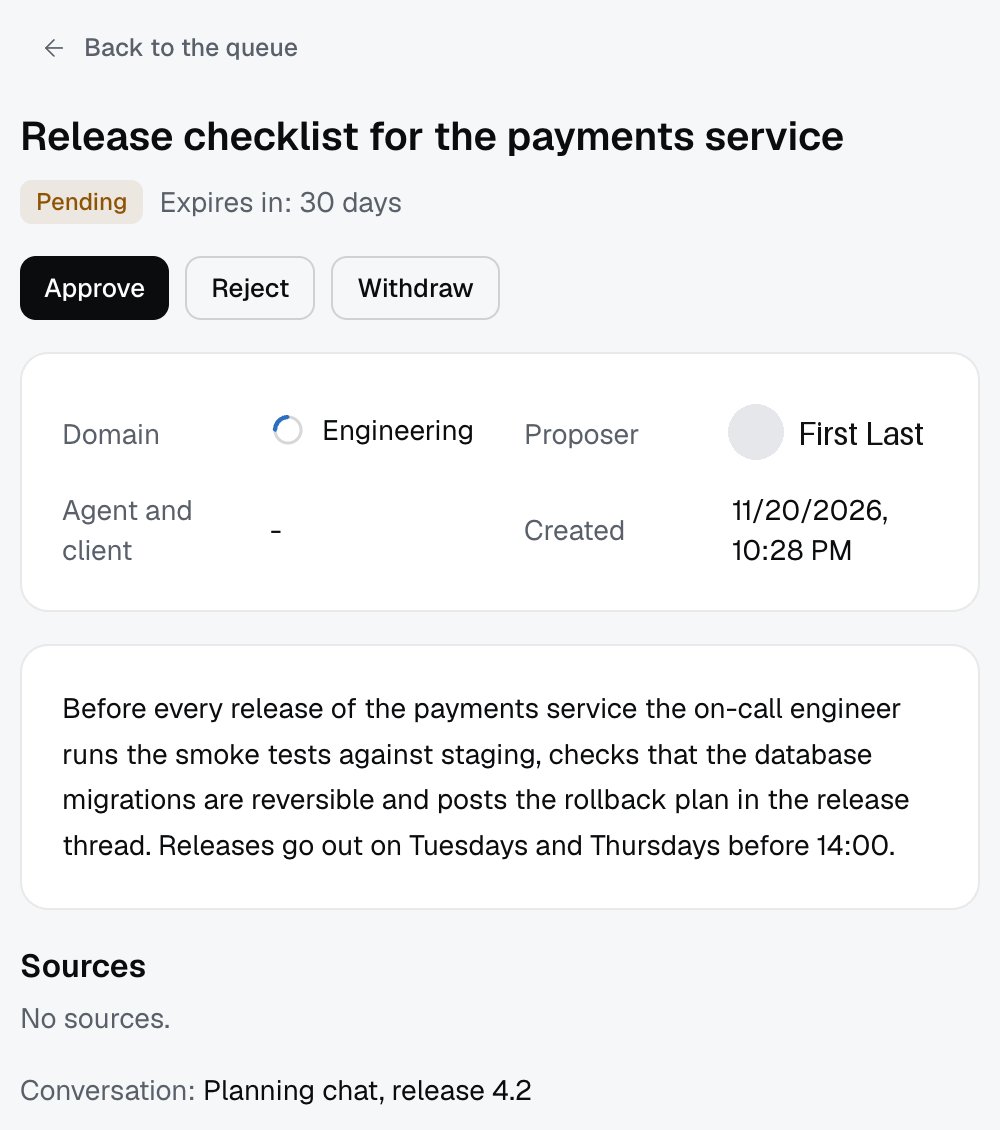
What happens to a proposal
- An approved proposal gets the status Approved. The note appears in Documents within a few minutes with the label Note, and the author is the proposer. Izumi keeps it in the notes source of the company.
- A rejected proposal: no note is created and it does not appear in search. The proposer sees the reason.
- A withdrawn proposal: the proposer gave up. Nobody can approve it any more.
- An expired proposal: a proposal is valid for 30 days. The worker checks once an hour, sets the status Expired on every proposal past its deadline and writes one
proposal.expirerow per proposal in the Access log (from the code).
Limits
- A proposal is valid for 30 days, the deadline is visible in the Expires in column.
- Izumi does not send email about proposals. The editor sees only the number next to Review queue, and the proposer sees the outcome when they open their proposal (there is no mail sending in the code).
- An approved note cannot be deleted from the Documents list or from the document page. Only the whole notes source can be deleted on the Sources page, which deletes all approved notes of the company (from the code, see Deletion and retention).
- Proposals are created by an AI tool through the MCP tool
propose_note, there is no other way to create a proposal.
Troubleshooting
- A proposal was sent and I do not see it in the Review queue. You are not an editor of that domain. A company admin is not automatically an editor, so they need the Editor role in that domain.
- “There are no proposals for your domains.” Nothing is waiting, or you are not an editor of any domain and have no proposals of your own. Try All and My proposals.
- “This proposal can no longer be decided. It may already be decided, withdrawn or expired.” Someone already decided or the proposer withdrew it while your dialog was open. Refresh the list.
- Proposals of one domain keep expiring. The domain has no editor. Give the Editor role.
- An approved note is not found right away. Wait a few minutes and search by words from the text.