

propose_note (see Review queue).
This page is more technical than the others: it has calls you send from your own system.
Before you start
- An Izumi account and the Editor role in the domain you send documents to.
- You do not create the Push source yourself. It appears by itself on the first push call in the company, exactly one per company (from the code).
- You create a token in My tokens and profile. The value of the token is shown only once, when it is created.
Create a push token
1
Open the dialog
Open My tokens and profile, section Tokens, and click New token. The dialog has Name, Valid for (days, at most 90) (30 by default) and Scopes: 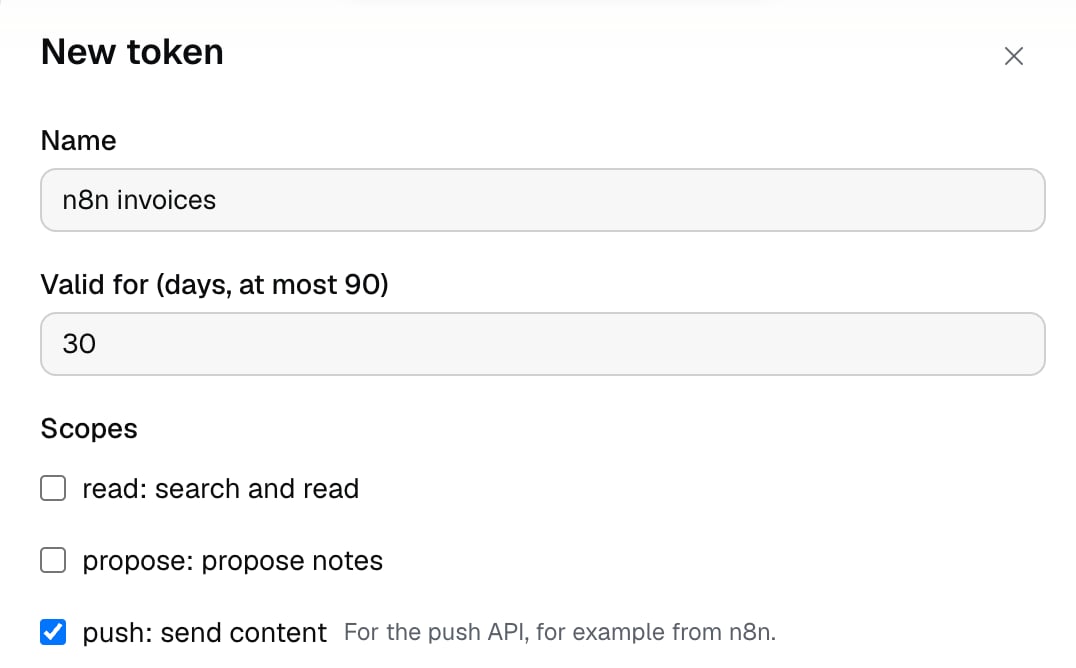
read (search and read), propose (propose notes) and push (send content).By default read and propose are checked, and push is not. For a push token check only push.2
Narrow the token (optional)
Narrow the token (optional) limits the token to the chosen companies and domains. With no choice the token is valid for all your companies and domains.
3
Create and copy the token
Click Create token. The dialog says: “This is the only time you will see the token. Copy it now.” The token starts with 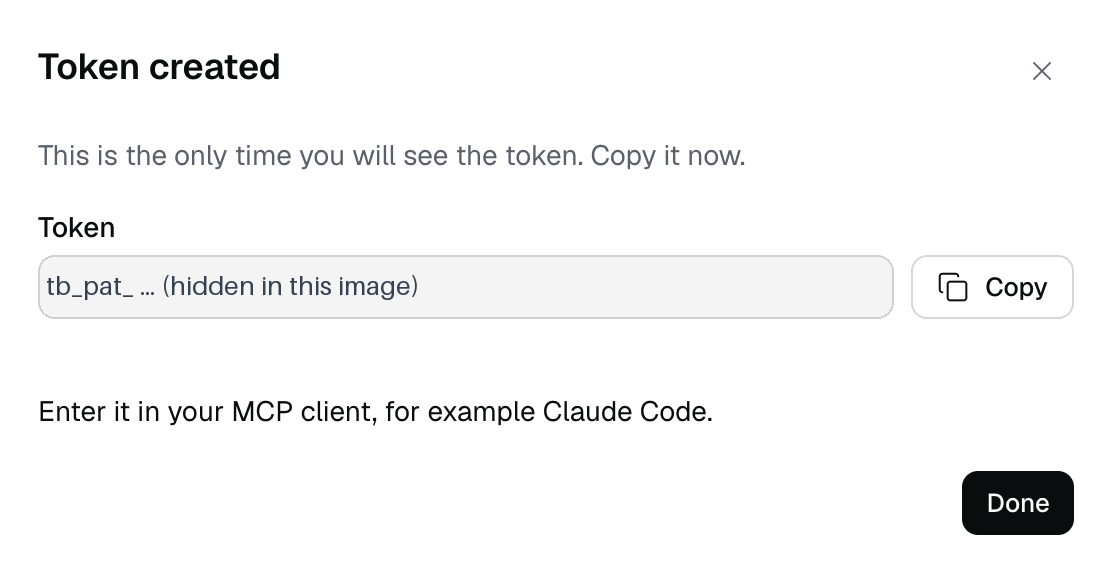
tb_pat_.Send a document
1
Send a POST
POST /v1/push/documents with the header Authorization: Bearer <token> and a JSON body (Content-Type: application/json). The required fields are company (company slug), domain (domain slug, you must be an editor of that domain), external_id (your document id, 1 to 500 visible ASCII characters without spaces), title (1 to 300 characters) and markdown (at least 1 character, at most 1 MiB UTF-8). The optional fields are url (http or https, up to 2048 characters), updated_at (ISO 8601 with a zone) and language (sr, en or other).2
Read the answer
Success is
202 Accepted. status is queued, and landing is created (a new id in the company), updated (same id and domain, the document changes) or moved (same id, another domain where you are also an editor). document_id is null until the worker indexes the document, a few seconds.3
Check in Izumi
After the first call the Push source appears on the Sources page: the card has the name “Push”, the state OK, the number of documents and the time of the last call. The document is in the Documents list.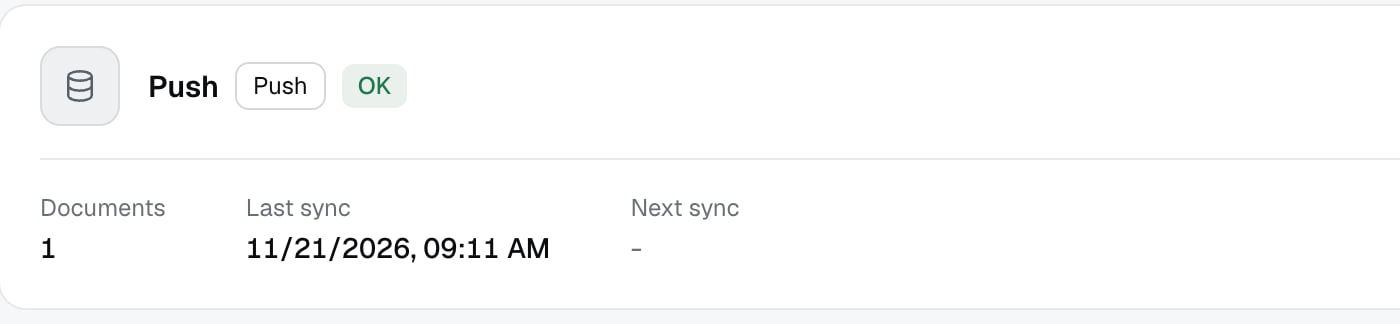
--- block, it stays plain text and cannot set labels or another author.
Remove a document
DELETE /v1/push/documents/<external_id>?company=<company slug> with no body. The id is URL-encoded in the path (drive:abc/123 becomes drive%3Aabc%2F123). The answer is 202 with status queued. Only the owner of the id can remove it, while they are still an editor of the domain where the document is.
n8n
In n8n use the HTTP Request node (from the install guide, not checked live).- A credential of type
Header Auth:NameAuthorization,ValueBearer tb_pat_.... - Push:
MethodPOST,URLhttps://<Izumi address>/v1/push/documents,Send Bodyon, JSON with the fields above. Leave outurl,updated_atandlanguagewhen they have no value, because an empty string is refused. - Delete:
MethodDELETE, URL.../v1/push/documents/{{ encodeURIComponent($json.external_id) }}?company=<slug>, no body. - By default the node stops the flow on status 400 or higher. To branch on the status set
On Errorto “Continue (using error output)”, then use IF or Switch. - Keep the external id stable for the same item (for example the id of a Drive file), so a second run updates the document instead of making a copy.
What is logged
Every accepted call writes one row in the Access log: the actionpush.upsert or push.delete, Via push, the external id, landing, the domain slug, the Push source and the number of bytes of Markdown. The title and the text are never written. A call refused after the token check writes a row as refused. See Access log.
Limits
- At most 60 calls per minute per token (in total for all routes).
- At most 1 MiB of Markdown per document, the whole body at most 1.5 MiB.
- Any other key in the body (for example
flags,reviewed_at,approved_by,author) gives400 invalid_input. - A web clip token (
tb_clip_) and a token without the push scope do not work for push. A browser session never opens push routes. - A token is valid for at most 90 days. After that, create a new one.
- Deleting the “Push” source deletes all pushed documents of the company.
Troubleshooting
The error body is{"error": {"code": "...", "message": "..."}}.
400 invalid_input: the body is not JSON, a field is missing or out of bounds, or a key is unknown. For DELETE the id is not visible ASCII orcompanyis missing.401 unauthenticated,token_expiredortoken_revoked: there is no token, it is unknown, expired, revoked, or a session was sent instead of a token. Create a new token.403 forbidden_scope: the token has nopushscope (it is a web clip token or a read-only token).404 not_found: the same message for every target you may not use, for example the company does not exist or you are not in it, the domain does not exist or is archived, you only have the reader role, or the token is narrowed away from the domain. For DELETE also an id that does not exist or is not yours. Izumi does not tell the cases apart. Fix the slug or the role.409 push_conflict: the id already exists in the company and you may not change it (someone else sent it, or it is in a domain where you are not an editor). Nothing was queued. Do not repeat the call, use another id or ask an admin.413 too_large: more than 1 MiB of Markdown or a body over 1.5 MiB.429 rate_limited: more than 60 calls per minute. Waitretry_after_sfrom the answer.- The card of the “Push” source shows a raw key instead of the name of the kind. This is a known display bug in Izumi, the source works normally.