

Before you start
- All members see the Access log item in the left menu. A company admin sees the entries of all people in the company, a member only their own (from the code).
- A row with no company is seen by nobody on the web, not even the person it belongs to. Only the server operator sees it (from the code).
- You set how long entries are kept in Company settings.
Review the entries
1
Open the log
Click Access log. The columns are Time, Person, Via, Action, Query, Results, Outcome and Duration. Via says where the request came from: MCP, Web, Preview, Web clip, Connected app (OAuth), Push, Worker, System or Maintenance. Outcome is OK, Denied or Error. The last column, Actions, opens the details of a row. The newest row is first. The screenshot leaves out the Results and Duration columns and the last column, so it stays readable.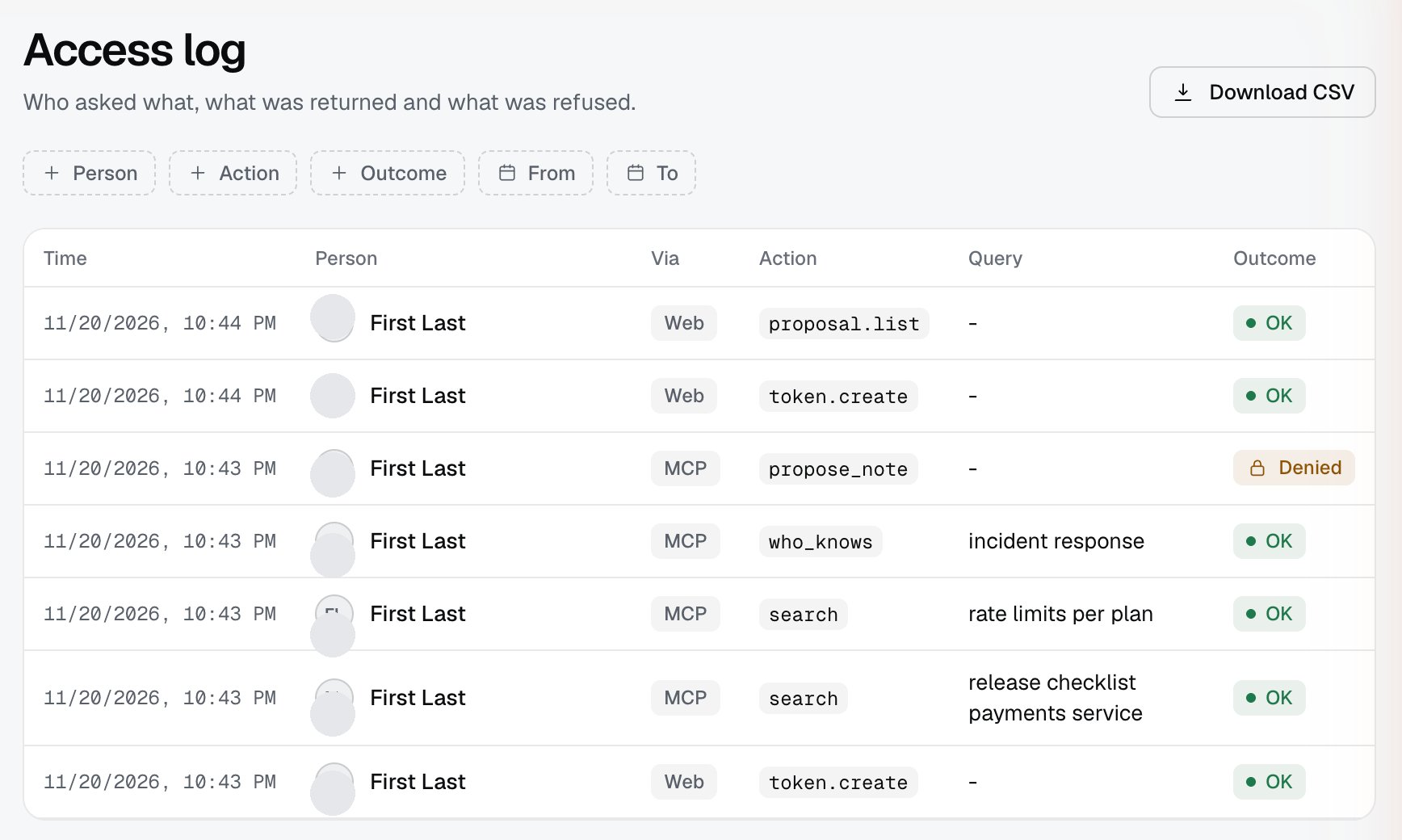
2
Narrow the entries
The filters are Person (company admin only), Action, Outcome, From and To. Download CSV downloads the entries with the same filters, all pages. Load more brings the next page on the screen (50 rows per page).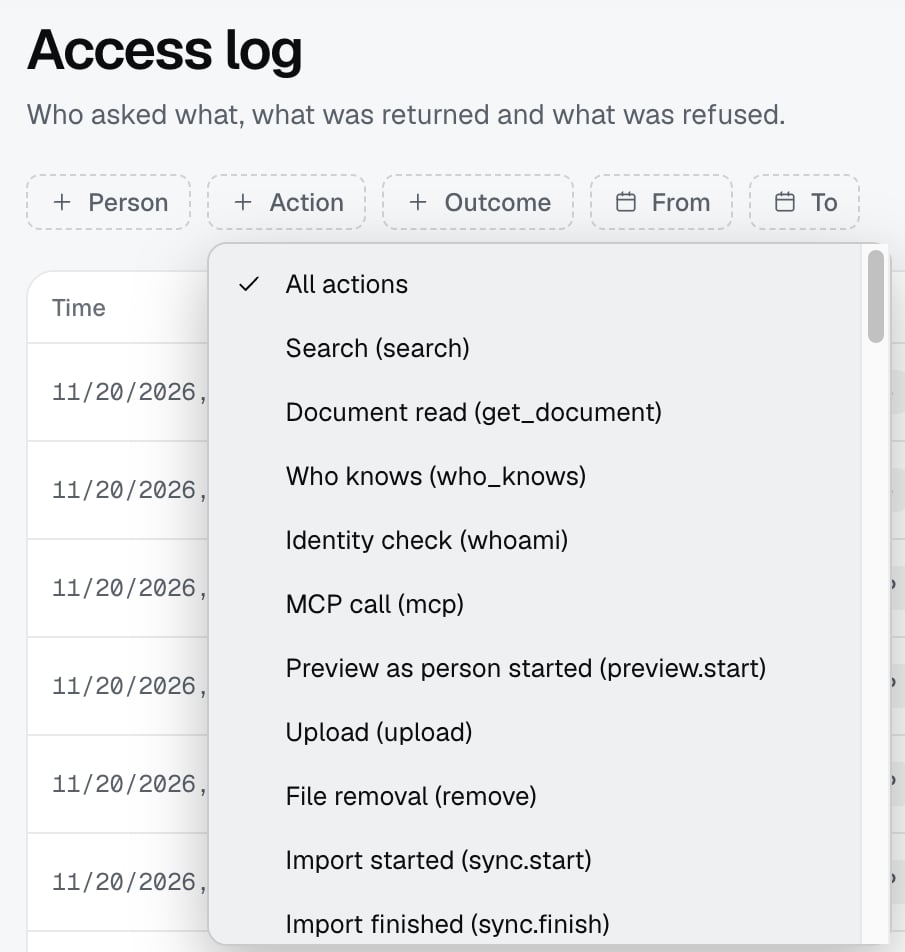
3
Open the details
The arrow at the end of a row opens Details. For a search it says Documents in the answer: the titles the AI tool received. For a refused call it says Error code. You see a title only for a document you may read yourself. For the others it shows a count, for example “2 documents outside your access”.
Set the retention
Entries are not kept forever. You set the period in Companies and members, section Settings, field Audit retention (days).- The allowed range is 30 to 3650 days. The default is 365.
- The worker deletes entries older than the period once a day (from the install guide).
- Entries of a deleted company or person stay until their period ends.
- A change of the period is logged as a change of audit retention.
What is not written
- The title and text of a document sent through the push API are never written. The external id, the domain, the source and the number of bytes are (see Push API).
- The details on the web do not show the name of a token or the path of a removed file, only identifiers and fixed words (from the code).
Limits
- The Action column shows the technical name of an action (for example
search), while the Action filter offers names in the language of the screen. - An admin sees the entries of the company, not the entries of other companies where they are not an admin.
- Removing documents and deleting sources write their own rows. What is deleted and when is on the page Deletion and retention.
- Izumi sends no notifications based on the log. The log is for review and export.
Troubleshooting
- “The log did not load.” Refresh the page.
- “No entries.” Widen the filters From and To. If that does not help, the retention period may be too short and the entries are already deleted.
- You do not see a colleague’s entry. You are not a company admin.
- You do not see a document title in the details. The document is outside your access or was removed. Only a count is shown.
- The entry of an old call is gone. The period from Audit retention (days) has passed. Increase the period for future entries.