

Set the topics you know about
1
Open your profile
Click My tokens and profile. The Profile section has an Ask me about field, one for every company you belong to.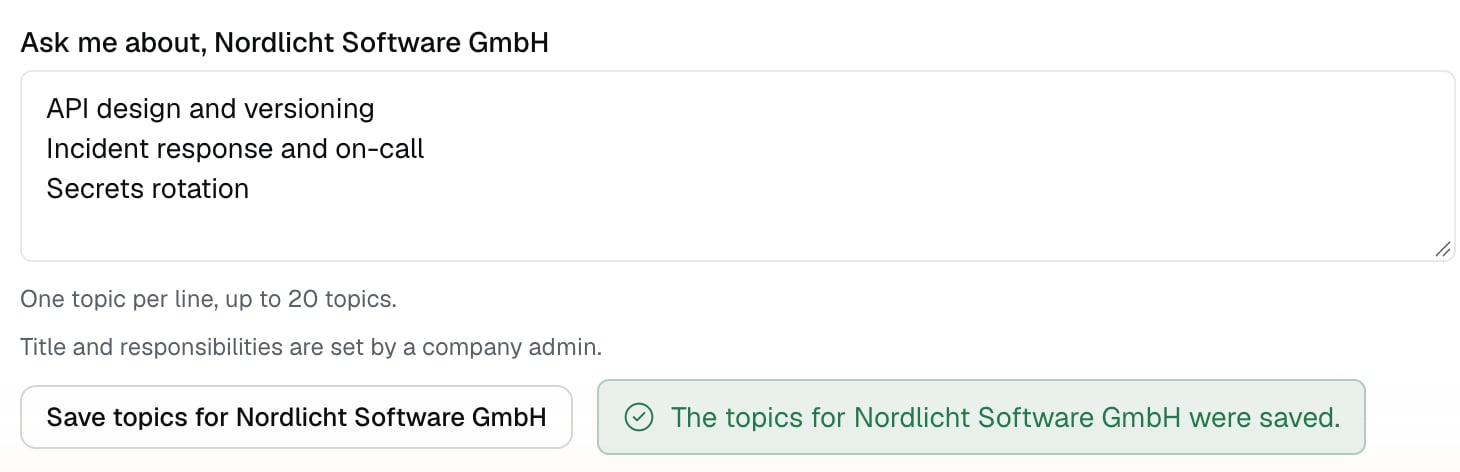
2
Enter your topics
Enter the topics, one per line, up to 20, each up to 200 characters. Click the “Save topics for” button with the name of that company. A confirmation appears that the topics were saved. You do not enter your job title or responsibilities yourself: your company admin sets them.
Where Izumi takes the answer from
- From the topics you entered in Ask me about.
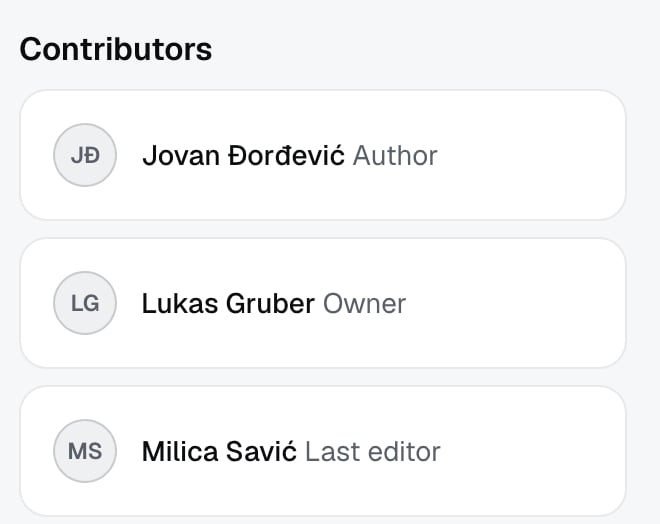
- From Contributors on documents: the author, the owner, and the person who last changed the document. By the code, newer documents weigh more than old ones.
Limits
- The result is a suggestion of whom to ask, not a guarantee that the person knows.
- A person with no topic in Ask me about and no documents where they are a contributor cannot appear.
- You can only ask within the companies you belong to.
Troubleshooting
- Your topic does not show in the answer. Check that you clicked the “Save topics for” button under the right company. Topics are saved per company.
- You cannot change your job title or responsibilities. Your company admin sets them.
- The AI tool returns nobody. The topic may not be in the “Ask me about” field or in Contributors of any document you can see.