

.env. The dialog in Izumi where a company admin connects a source is in the Administration tab: Google Drive and Microsoft 365.
What applies to both connectors
- Izumi only reads. It never changes files.
- The connector credentials (refresh token, client secret) are stored encrypted with the company key, which is wrapped with
TB_MASTER_KEY. They are never shown again. - A source is connected in the app: it is created, connected, roots and rules are chosen, then a trial pass and the first sync are done.
- The server needs the external hosts of that connector, see the table in Running offline.
Google Drive
drive.readonly is a restricted scope. A server-side app that stores such data needs Google verification and an annual security assessment, unless it is internal to one organization. That is why there are two ways.
Install client (default)
One OAuth client for the whole install. A company admin connects Drive with just the source name.1
Put the client into .env
TB_GDRIVE_CLIENT_ID and TB_GDRIVE_CLIENT_SECRET, both or neither. Both app and worker read them.2
Apply the change
3
Check that the app sees it
The response of
GET /v1/status has connectors.gdrive_instance_client as true or false, never the ID or the secret, but only a signed-in company admin sees it (everyone else gets 404), so a plain curl from the server does not help. The check in the app: without a client the Drive source form opens the section for an own client and asks for it.- The consent screen shows a warning that Google has not verified the app. The user chooses
Advanced, then continues. - At most 100 Google accounts can ever give consent.
- A Google Workspace administrator can block unverified apps. That company then uses its own client (below).
- Plan the verification and the annual security assessment before the third paying client or when you get close to the 100-account limit.
- Changing the client secret does not require reconnecting (the worker reads it at every refresh). Changing the client ID itself requires reconnecting every source on it.
- A source that was connected with an own
client_idequal to the install ID stored that client’s secret with the token: keep the old secret enabled until that source is reconnected.
A company’s own client (Internal, no warning)
For a company with Google Workspace, in a project that belongs to its organization. There is no verification, no 100-account limit.1
Create a project
In the client’s Workspace organization create a Google Cloud project (the client’s administrator or someone allowed to create projects).
2
Turn on the Drive API
APIs and Services, Library, turn on Google Drive API.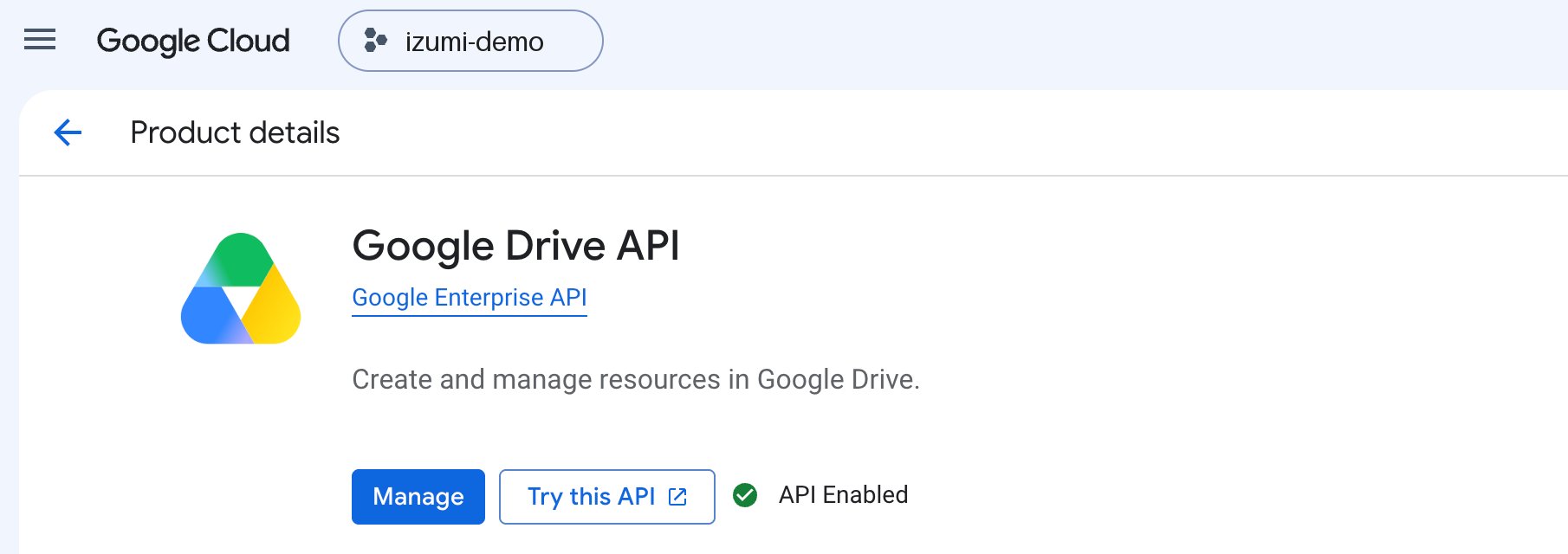
3
Set up the consent screen
OAuth consent screen: user type Internal, scope https://www.googleapis.com/auth/drive.readonly and nothing else.4
Create an OAuth client
Credentials, Create credentials, OAuth client ID, type Web application, redirect URI exactly <TB_PUBLIC_URL>/v1/connect/gdrive/callback.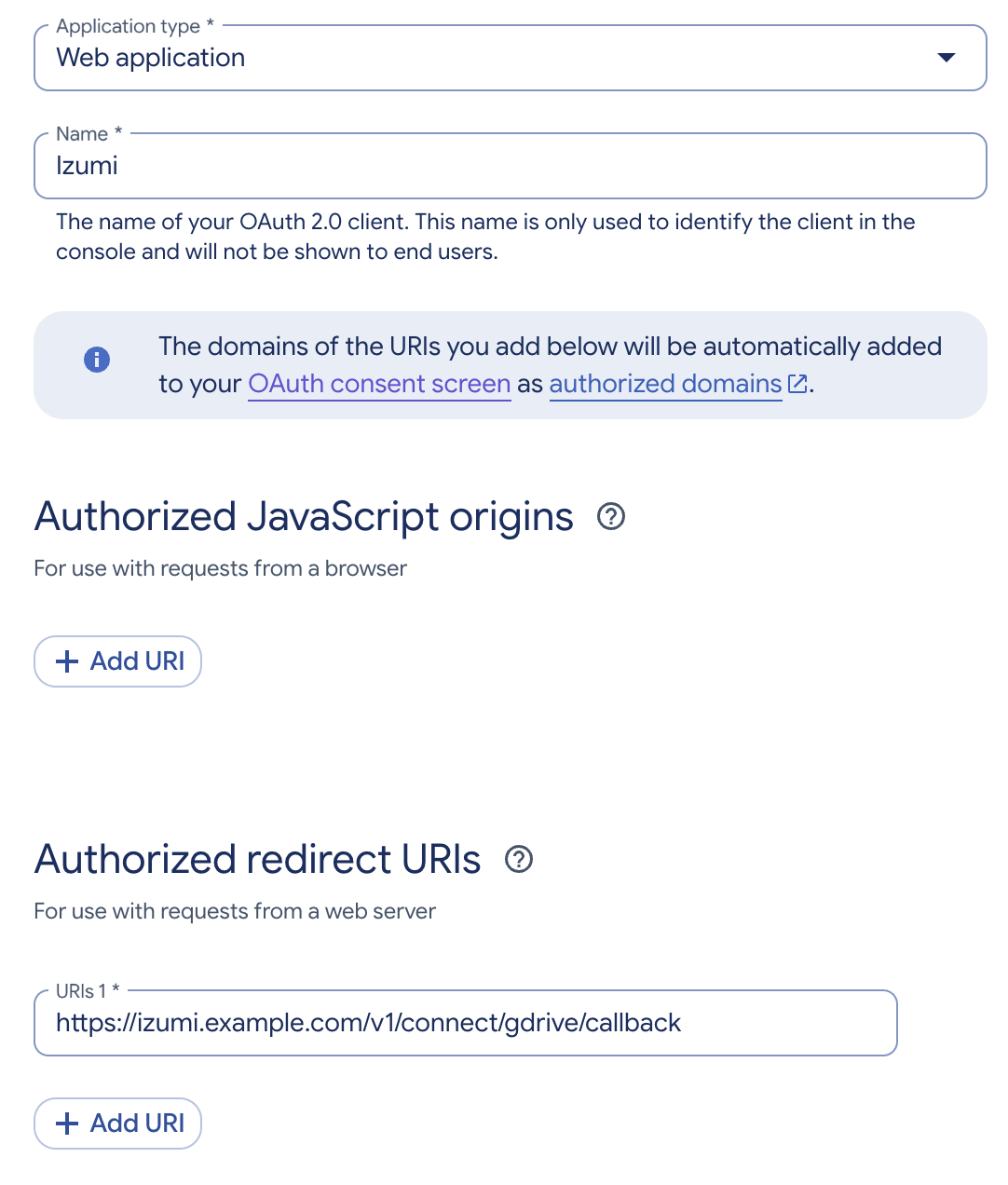
5
Give the client to the company admin
The company admin in Izumi creates the source and enters the client ID in the OAuth client of your own (advanced) section. The client secret is entered once when connecting: it is stored encrypted with the token. The dialog is described in Google Drive.
source.connect says discovery_failed, most likely the Drive API is not turned on in that client’s project (step 2). The app log has the line gdrive connect: discovery failed with the HTTP status.
If an account revokes the app (myaccount.google.com/permissions), the source shows Reconnect required. Nothing is deleted and reconnecting continues without re-embedding everything. A source on the install client is reconnected with one click, and one with an own client asks for its secret again.
SharePoint and OneDrive: Microsoft Graph
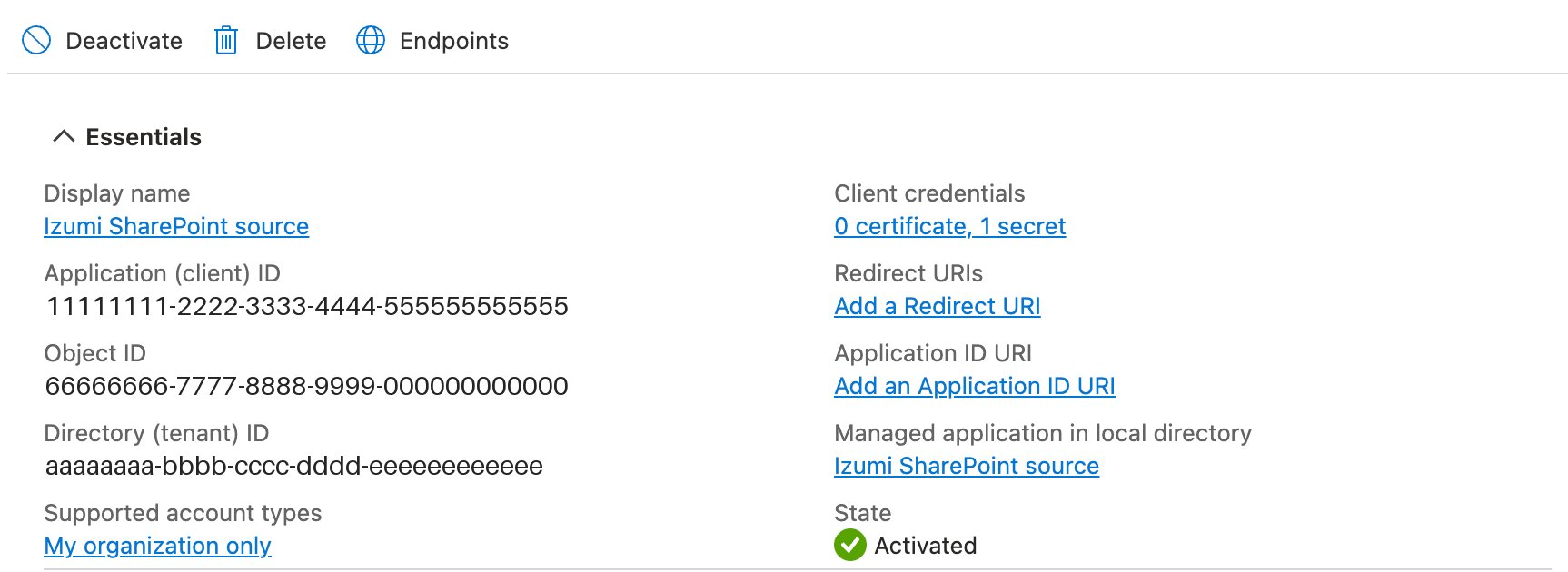
The company’s IT registers an app in its own Entra tenant. The whole procedure with images is in Microsoft 365. In short, for the operator:- App type: single tenant, no redirect URI.
- Permission:
Microsoft Graph,Application permissions,Files.Read.All(the default), thenGrant admin consent. - The client secret has an expiry: write it down. When it expires, the source shows Reconnect required.
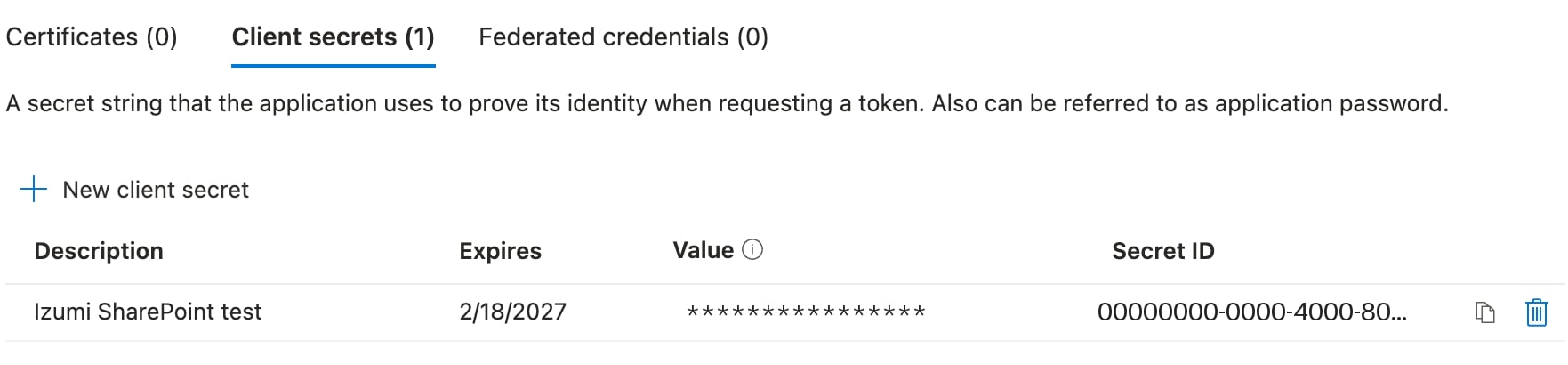
- In Izumi the company admin enters the tenant ID, the app ID, the secret and the library (site address or drive ID).
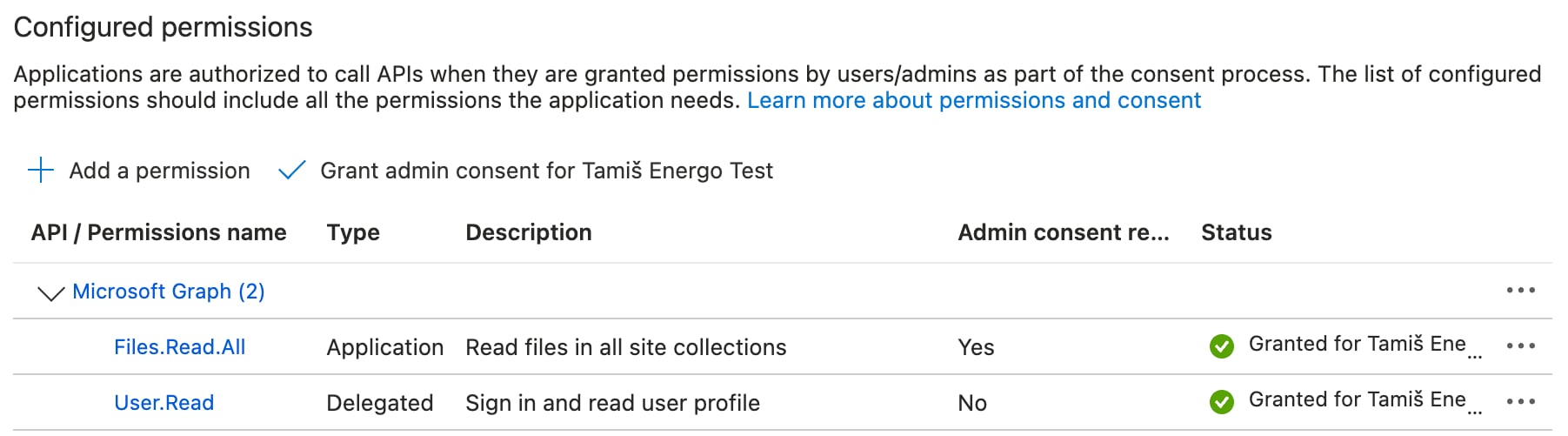
- The image also shows
User.Read(Delegated): Entra adds it to a new registration by itself and it can stay. - With
Files.Read.Allthe app sees the libraries of all sites in the tenant. Izumi imports only the library and folders the admin chooses. - On the test tenant
Files.Read.Allfound the site root even without a library ID. For a site below the root the form asks for the drive ID (from the code). - The permission
Sites.Selectedhas not been checked with an import. UseFiles.Read.All.
Limits
- Access in Izumi is decided by domains and roles, not by sharing in Drive or SharePoint.
- The install Google client has a limit of 100 accounts and a warning until it is verified.
- The Microsoft source form does not show the expiry of the client secret.